

GamePatchNote Digest
Youropa Patch Notes — February 1, 2019
Aggregated from Steam, cross-tracked with Battle.net coverage on GamePatchNote.
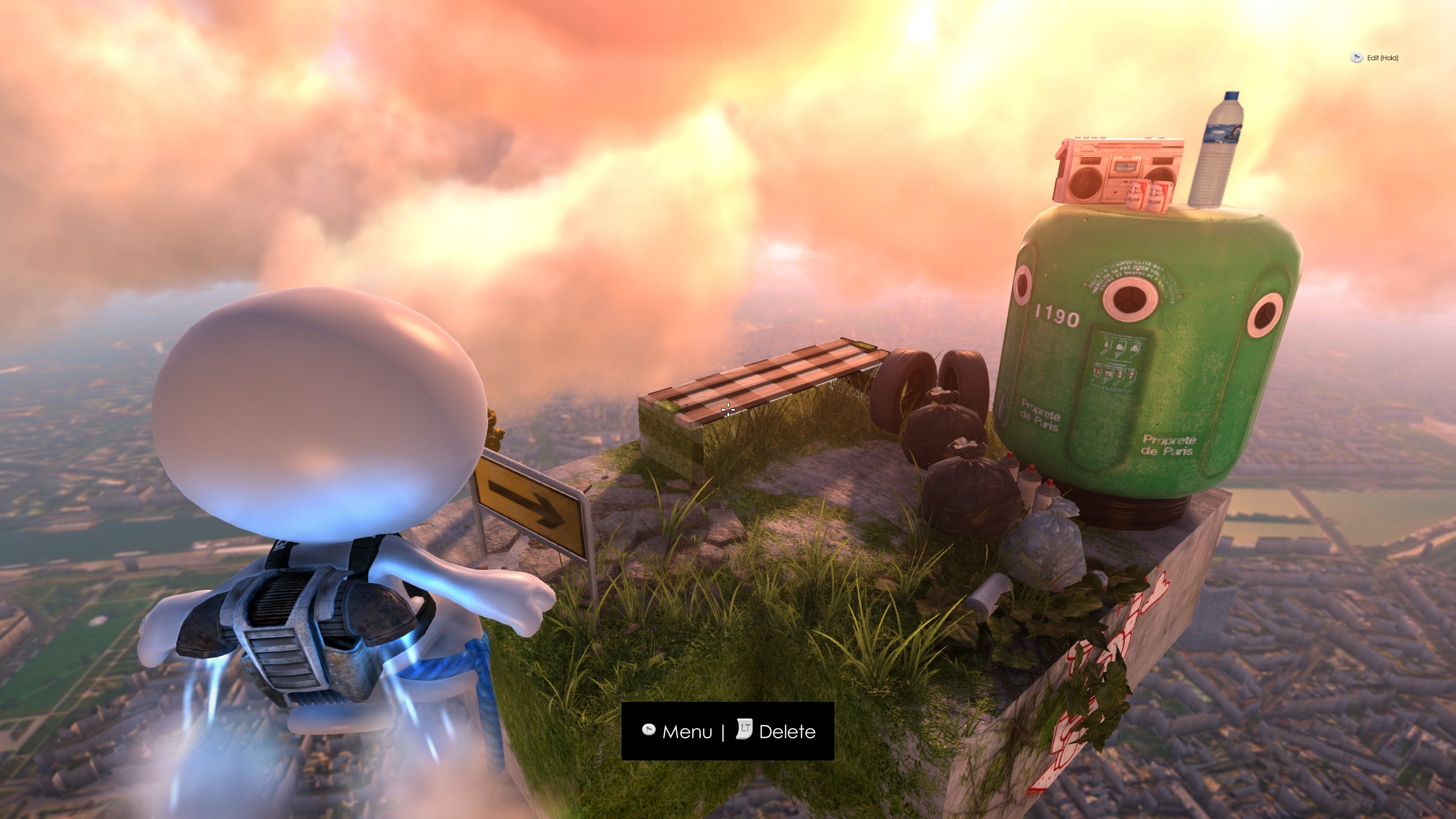
We've finally gotten to a point where we'd like you to take the Creator Mode (name is not final) for a spin. If you'd like to try it out, do this:
Join the preview
- Right click on Youropa in Steam
- Select "Properties"
- Go to the "BETAS" tab
- Select "Beta - " from the dropdown
- Steam may need to restart before it downloads the beta version, depending on your settings.
Once you're in the game go to "Create" mode, and either make a new level or load one you already made. Hit "C" on the keyboard or "LB/L1" on the controller to enter Creator Mode. The rest has onscreen display to help you out.
Work In Progress!!!
Slowly we hope Creator Mode will be able to replace the editor completely, but for now there are a number of things that it doesn't do. Here's a quick list of things you should be aware of:
- No auto saving!!! you need to open the editor, select a block and move it for the level to be saved. Auto-saving in Creator Mode is top of the list for the next version.
- No undo!!!
- No styling!!! to adjust time of day, weather etc. you still need to do it from the editor.
- No editing of wires or patrol paths go to the editor to edit those.
- Some objects change rotation etc. when being created the preview of what you're about to make is not always accurate.
- UI WIP!!! the object selection is pretty confusing if you're new - we're working on making it much more accessible.
- The game is running while you're editing so watch out for enemies etc. This may change in the future.
- Overview going into overview while in creator mode can cause weird stuff .. we aim to make the overview navigate a little like the editor at a later stage, to make it easy to adjust things far from yourself.
- Unlock some objects won't become accessible until you've completed parts of the main game.
- Jetpack to let you get easily around there's a jetpack .. Hold "space" or "A" on controller to go up, the jetpack will let you hover in the air. Tap "space" or "A" to drop down.
Give us feedback!
Again please note that this is a preview and some things aren't working and almost everything else will change. But having said that we'd love to get your feedback, so let us know what you like and what you don't like - and be sure to post your cool creations and ideas, to help us make the game better.
We really hope you have fun with the preview!