

September Character System Update
The Repopulation Patch Notes — September 24, 2021
Aggregated from Steam, cross-tracked with Battle.net coverage on GamePatchNote.
Good morning community! Last month we let you know that we would be doing a featurette about the Characters, both Player and Non-Player characters. This is primarily what this month is about. Yet it is a bit longer than a featurette. We are also including an update to our development on the Character side. So grab a cup of coffee and sit back.
This month's article is focused on some of the joys and difficulties we have encountered with the NPC’s. During this process, we have learned many things and realized additional ways in which we can improve the new system. The challenges we have faced not only mean that we can make improvements in the game but with the engine as well.
Current NPC Optimizations
The testing process:
Initially, we had thought we could update the PC’s and NPC models to be more efficient by removing parts that were not needed and consolidating set textures. However, as we started to investigate and experiment on this process we found that the performance boost would have been less than a 1% boost. In addition, we were able to find where some of the more expensive overhead was coming from during our tests.
We set up a clean area and tested by loading in 500+ characters via the default HE method, and only saw a 1-5% performance drop depending on the computer system. We started to do the same test using the Repop method and around 10 npc’s the performance had dropped over 40-50% across all computer systems. When we combined both tests together the performance drop was the same as with only the 10 using the Repop method. We were able to narrow down some of the major issues. This was a good thing!
Expensive Overhead:
The main two issues we found that have caused some major latency and/or crashing problems related to The Repopulation are 1) Extremely large audio files loading and reloading, 2) the NPC State system, more specifically on this topic, the number of animations.
Currently, there are between 2 to 3+ sets of animations that are loading for all characters depending on the character type. In this article, we will be covering only humanoid characters that are Player Characters (PC) and Non-Player Characters (NPC). The way the prior team set up the animations was not wrong, but it does cause a lot of excess and unnecessary loading and unloading from character selection to area transition (changing zones).
The downside is that out of three sets of animations, rp_male, rp_male1, rp_female, the corresponding animations for each are identical. They are just in different directories with slightly different names. An example of this is:
- Rp_male_idle1
- Rp_male1_idle1
- Rp_female_idle1
Each of these are identical down to the binary data. The only thing that is different is the name and the location of those said animations. We found some notes that indicated this might have been done temporarily and each outside of the rp_male were used as placeholders until later. However, for data that is identical, there is a lot of wasted overhead and loading/unloading.
Just one directory contains 20.5 MB of animation files. There are multiple directories and files that span across humanoid and non-humanoid NPC’s. Some of the NPC’s even have multiple animation files loading, such as the
Faugea, they load Repop_Male files plus the Faugea animation files.
Testing Results:
Our testing allowed us to dig deeper into the performance drops and crashing to the desktop. The second issue is how the NPC States system was set up and works. This is why you can have many players in an area without too much drop in performance, yet if you have more than 10 NPC’s in an area you can see and feel the performance drop. The more NPC’s the worse the performance is, especially at loading.
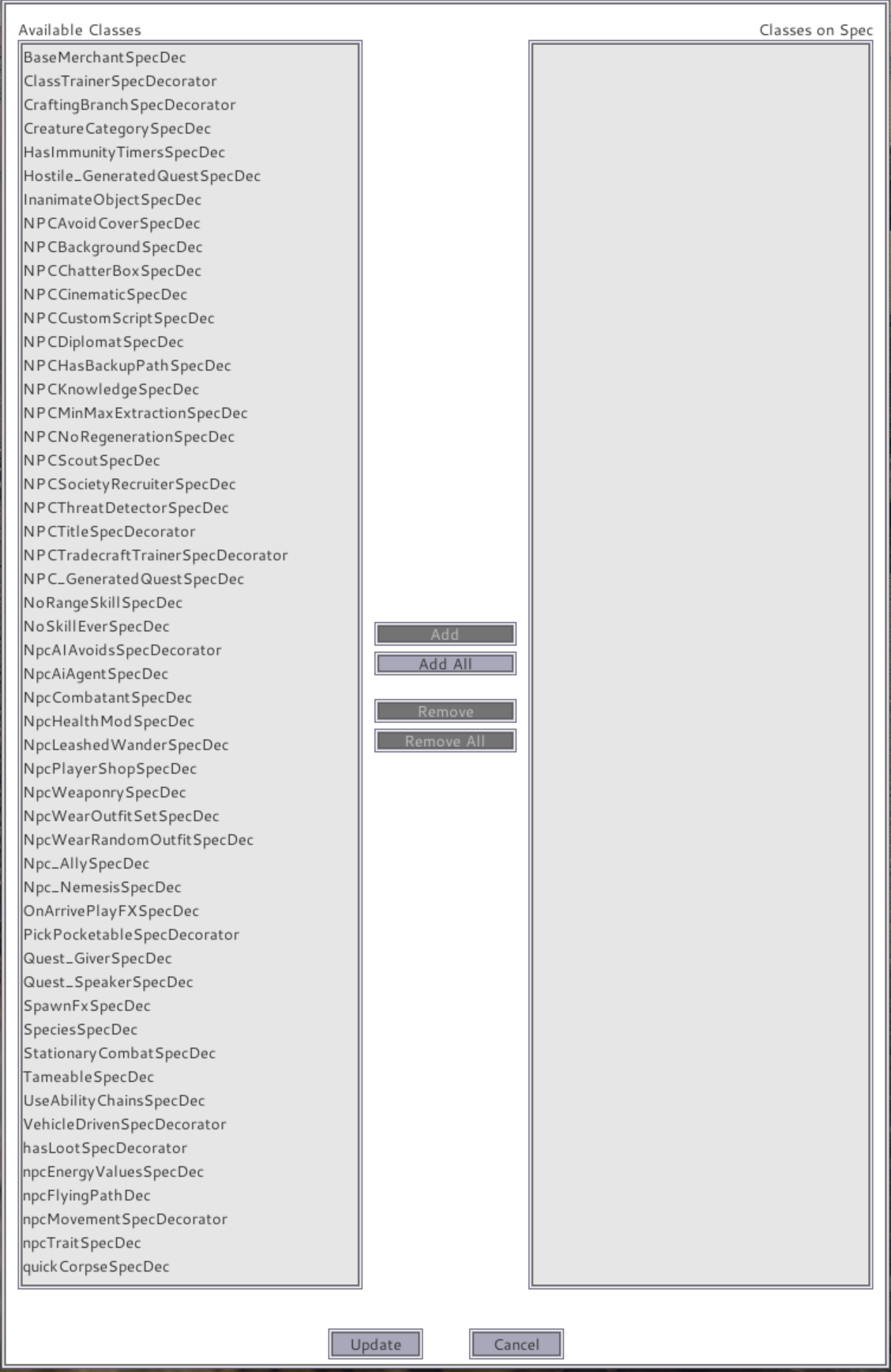
The current NPC States system creates unique specs for each and every npc, even if they are clones/copies of each other. So if you have 25 specs on a single NPC, you add 10 in, you now have 250 specs loading. This is in conjunction with the animations that need to load for each and every NPC even when they are identical. Hence one part of the current NPC State System problems. Most NPC’s have much more than 25 specs on them, so load and unloading times are even greater. The number of systems that each NPC has attached to them is numerous.
Some of the systems that are attached to the NPC via specs, are the Babbler system, the NPC FX system, the Outfit system, their Skill Spec system, NPC Level/Tier systems, NPC Knowledge, NPC Task system, NPC Voice systems, NPC QA status system, Threshold systems, Armour Stat systems… and more. Each of these NPC systems have multiple specs each.
In conclusion, we have decided that it will be best to make some improvements where we can short term, then focus on the new NPC system that will be cleaner with less overhead. In the future we will be redoing the character models along with the new character systems.
Short Term Focused Improvements:
Audio:
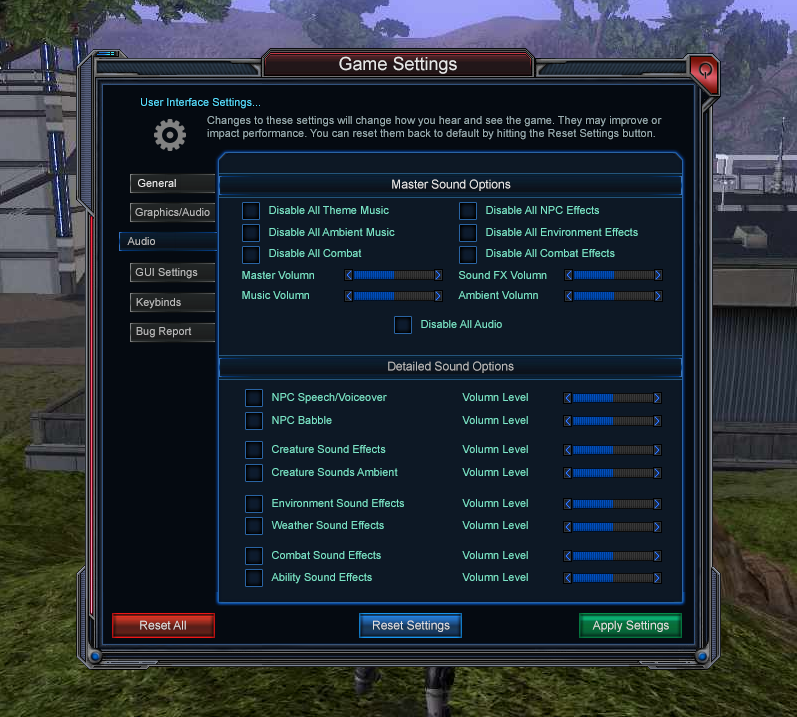
In the upcoming patch players will find that we have disabled by default, the audio files, including the NPC voice files. We found several that were identical just using a different name. The total size of the audio files that eventually load in game comes to 1.27 GB. These are a mix of files that include .wav, .fsb, .sgt and a few .mp3 files.During our testing of the NPC’s we also found that the page file size kept building. We were able to identify most of it, but had to search and realized that sound files were also adding up quickly. Many of these were NPC voice overs (most were copies of copies just with different names) and NPC sound effects.
Currently in Dev audio is disabled by default. When pushed to production players can still turn it back on via the GUI in your settings panel.
When we redo the GUI and the audio system, you will have the option to disable all or some of the audio and sound effects. We will have these categorized so players can choose what they do and do not want to hear while in game.
Animations:
For the short term we are focusing on a few smaller fixes we can test to improve the performance of Repop without having to do double or triple work now and in the future.Current optimizations for the NPC’s this quarter are areas that we have been able to improve overall performance.
- Condensed animations (male and female since they were identical, visually and binary data)
- Reduced the load by 2-3 sets of animations to 1 set for humanoid PC’s and NPC’s
- Reduced the file load size From 197.5 MB to 33.5 MB
- Reduced load time by 30-40% (Or greater depending on the computer system and network/internet)
Now that we have optimized the animations and saw the performance improve, we decided to test things out.
Oops, We Broke it:
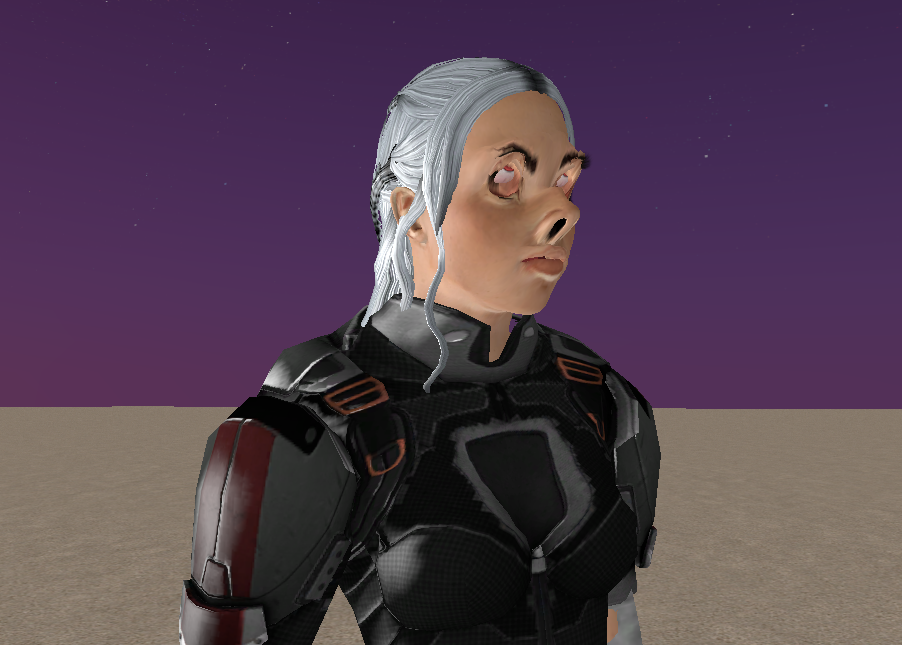
We were happy to see the instant improvement with the loading into character selection, character creation, into the game and even during area transition. This made us happy. We decided to do some actual game building again to find where else we could make a few minor improvements, yet when we did, we realized there was a slight problem. Our female characters’ faces were a wee bit messed up.
Somewhere along the line, by changing the directory of the animation file to point to a single one, something changed the morphs on all female characters. Nothing else had changed but the directory that the animations were located at looking for the humanmale.aas file.
Normally, animations have nothing to do with facegen or face morphs. Yet, something, somewhere is altering the facegen file for all females when they are idle.
What is even more confusing, is that most active animations will reset the face of females to the proper look/settings. Once that animation is over and goes back to idle, the face is stretched and distorted.
Head Scratching:
Click here to view the FX and Idle animation on Player Character Issue in Action
Now that we are trying to figure out where the issue is located, we also found that there were some odd animations in these files as well. We are not sure if these might have something to do with the distortion or not. Three examples of odd animations in the directory for male animations are:
- Idle_female
- human_idle_beltbuckle
- Idle_female_fingernails
We also have found 276 .gr2’s including some files that had come from Hero’s Journey inside the repopmale1 animation directory. A few examples of these animations from Hero’s Journey being used:
- Swim
- Swim_backwards
- Swim_backstroke
- Male_jump
- Strafe_left
- Strafe_right
- (And most combat melee animations)
What is even more head scratching for us is that most, but not all non idle animations temporarily fix this distortion as mentioned above. A few animations do not, such as several of the combat will temporarily fix while other combat animations do not. What is changing the female mean setting (Standard unaltered face) to the distorted features?
We have tested by removing all facegen modifications and modifiers, yet this issue remains.
So our current task for a few of us is to find out what file or files are changing or altering the female faces from the mean to the distorted when in idle. We will NOT give up! We’ll update the community on our findings.
Characters in the Future:
Click here to view the current NPC panel.
The problems to fix:
As many of you know there are several recurring issues with the current characters, both player and nonplayer alike. Many of the changes in the new system will address most of the issues. Once we have our own system and models in, we should be able to address any bugs in a much shorter time and get those fixes pushed along with some happy updates.
Some of the most common problems that will be addressed with the new systems:
- Missing body parts on the characters
- Facegen morph reverts back to default shape
- Dynamic colour reverts back to default colour on skin, hair and clothing/armour
- Odd animations or the wrong animations applied (such as standing up on or alongside a speeder bike)
These are visual issues that are seen in game with both player and non player characters. However, there are other issues that are behind the scenes that also cause additional performance and conflict issues with other systems related and not related.
- Bone conflict issues
- Large page file size per NPC due to the number of specs
- NPC script conflicts (e.g. engagements, triggers)
- NPC container issues (e.g. vendors)
- AI and combat issues
- NPC pathing issues
The new system:

We have finalized the design of the new NPC system for both Player and Non-Player characters. We are actually quite excited. Since this article and update is about NPC’s, this is what we will show off and talk about.
A lot of work has gone into the new NPC system and sub systems. This has actually been one of the more fun parts of the redesign to keep to the same theme and game play, yet enhancing the NPC capabilities while designing and developing a system that will make it easier and cleaner for our developers to create, add or update NPC’s throughout the game.
The new NPC system covers everything from shop merchants, guards all the way to creatures that you may experience in the world. Once the base for the new NPC system is completed and tested, we will begin work on the new spawning functionality as explained further down.
Creating NPC’s:
The new system is going to have a single UX, or developer interface similar to the new Item system. The better and more put together a system or set of systems are, the easier it will be to create new NPC’s, clone NPC’s and even update or fix NPC’s when needed.
Simplicity is key. Keeping as much together as we can in a single set of panels and subsystems will allow us to achieve this goal.
Below you can view a small sample of what the new UX will look like and how we will build the NPC’s. 
NPC’s in any game are a collection of the base system and multiple subsystems. With the new system, we will be able to view those changes or modifications in a single window instead of multiple separate ones that have to be re-opened multiple times.
AI, Pathing, and Combat:
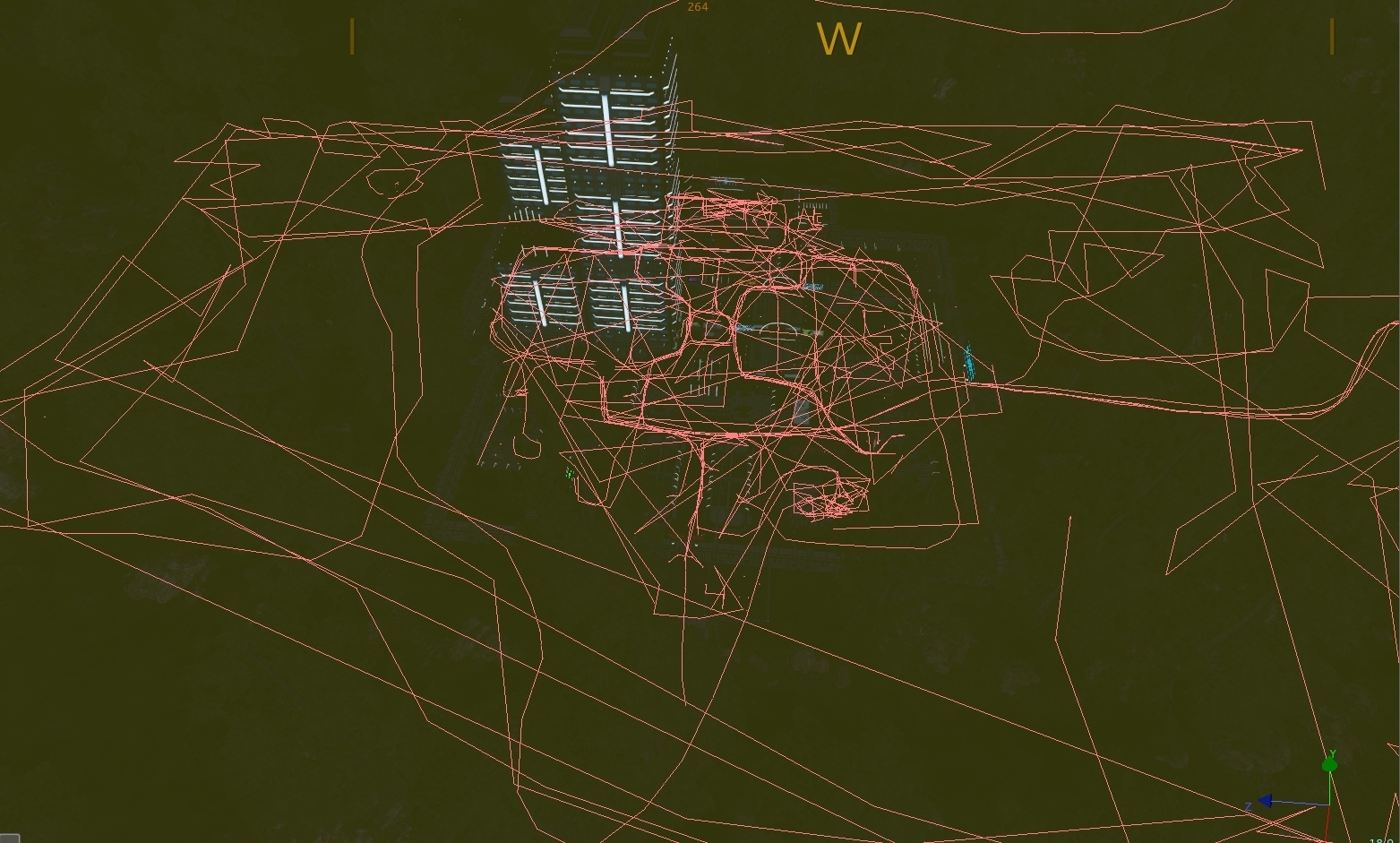
With the above systems developed and to include a real faction system we will be able to create an in-depth and dynamic AI system. The AI system will be based on the mission dialogue system and tied in with faction. All subsystems such as pathing, combat, and other NPC interactions by players will utilize these four systems.
- NPC System
- Mission Dialogue System
- Faction System
- Combat\Skill System
Pathing will be based on Hero Engine’s Navmesh System for standard NPC and Creatures. Hero Engine’s Path Planning System will be used for NPC’s such as walking guards, and other specific NPCs that walk and move about areas. In the end, spawners and path planning will be much cleaner than the image seen above. This change from the current to the new will let us find NPC’s faster and make easier and quicker updates when needed.
Spawning NPC’s:
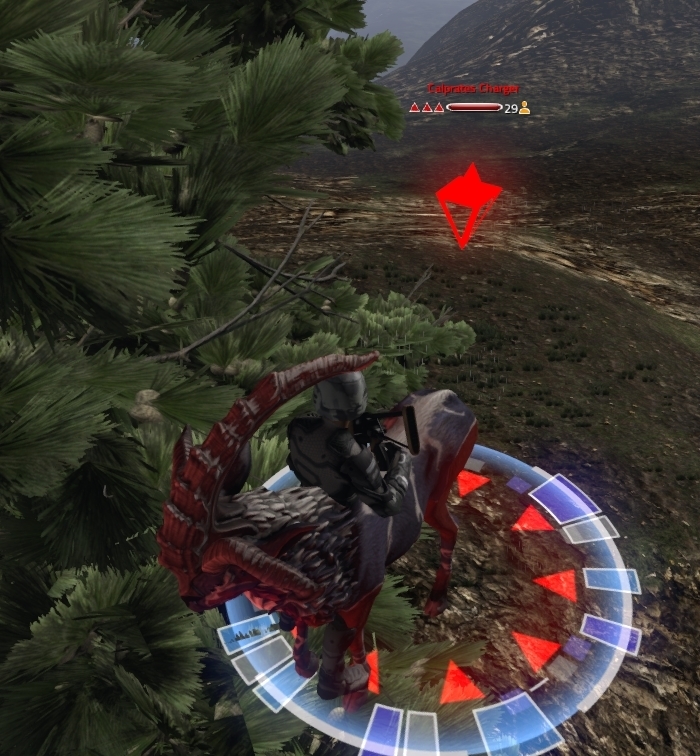
Static NPC’s such as merchants, NPC patrons, and other stationary NPC’s will use a single spawner. Creatures and other aggressive spawns will use our customized region spawner. Both static NPC and spawn regions will use the navmesh and AI instead of wired pathing.
- WIP need to review current systems and new systems
- We want to decide how (programmatically) we want to do default spawning
- How we want to do regional spawning
- Want to create our own subsystem to regional spawning where we can drop down a placeholder of what will spawn. In the panel we will set the number of spawns and the size of the region.
- Under that subsystem we’ll also be able to set the tier and attach any custom scripts or abilities
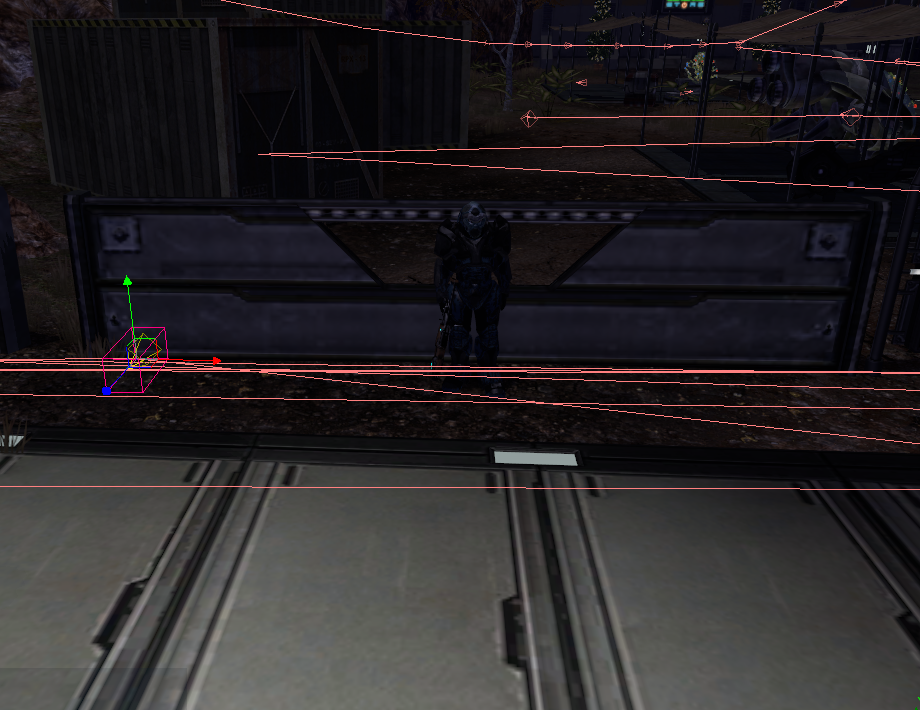
Combat will be revamped to use the new skill system. NPC’s combat AI will be based on that skill system. Abilities and attacks for NPC’s will be optimized and only draw from the tier and skills we designate. Through the new NPC system we can also attach additional or customized scripts or skills.
NPC AI reactions to whether they enter combat or not will be based on the faction system. This will trigger different reactions from NPC such as flight, fight, or dialogue. These reactions will be done using a single parent system.
New Models:
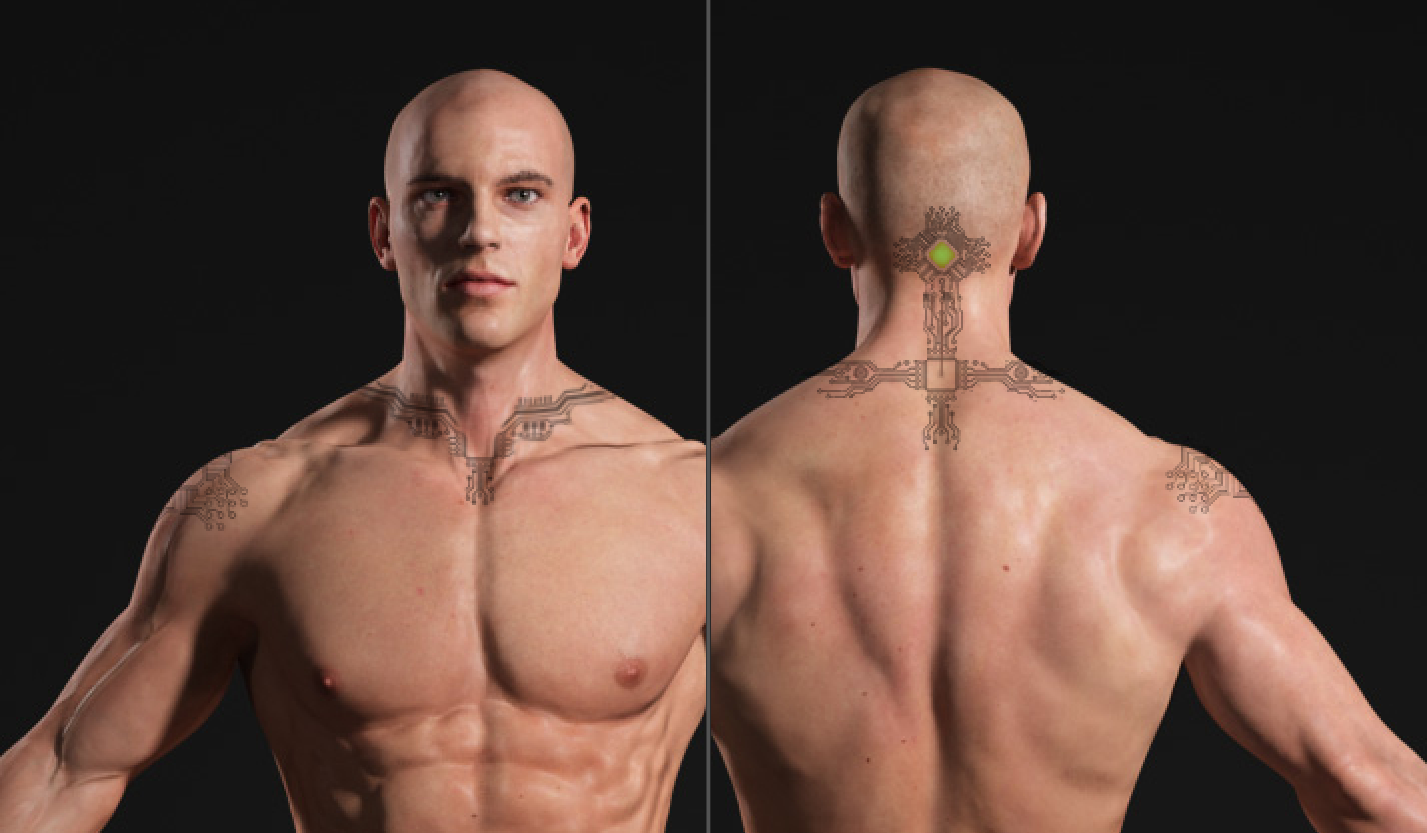
Though the current models may be used at the start they will just be placeholders. New character models and associated art assets such as weapons and gear will be developed at a later time. You may see some assets come in sooner such as weapons, and possibly some clothing items.
The concept art is mostly done, though we are still gathering up a few more ideas to make sure we keep to the same stylized fashion of the game yet offer more options to the players.
The purpose for new models is to have a more up to date look, while keeping the Repop stylization. This will also allow us to have a more optimized system which includes art, and functionality.
Working with the New Item System:
Utilizing the new item system we are currently building will allow us to have cleaner and reusable code. Loot tables whether they are for harvesting, corpse looting, or merchants will be a subsystem under the item system. This allows us to not only reduce overhead and the number of scripts running simultaneously, but also build upon it in a modular fashion. This means more customizations in the future as well as additional features to be added later. This will allow us to produce continuous content in the future.
The NPC are going to use the same item system. We will be able to either select or drag and drop gear and inventory. We will be able to select the proper loot table and attach any special items to the NPC per the new item system.
Merchants will use the new loot tables under the item system. We will also be able to attach any special items just as we would to standard NPC to shops. The item system will also be used for buying items from players and a limited buy back system.
NPC looting or corpse looting will also use the base loot tables setup that will be customizable. Through the loot system we can also tier that loot based on the tier of the NPC.
Join us on our main forum for more discussion HERE.
Read the original article HERE.