

Start11
Patch notes · News · Live player count
About
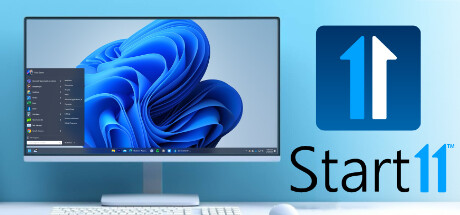
Customize the Start menu and Taskbar in Windows 10 and 11 with several different layouts, positions, and aesthetic options using Start11 v1! Make the Start menu appear as it does in previous versions of Windows, enhance its functionality, and customize your setup just the way you like it.
Media Gallery(9)
Detailed
Customize the Start menu and Taskbar in Windows 10 and 11 with several different designs, robust configuration options, and aesthetic options using Start11 v1. Take full control of your Start menu and taskbar to make Windows more personal and more productive.Features: Enhance Windows 10 and Windows 11 style menus with new functionality Return the Start menu to the appearance of previous versions of Windows Ungroup open windows on the Taskbar and customize their appearance Reposition the taskbar to the top of the desktop for Windows 11 Enable Windows 10 style taskbar context menu for Windows 11 Center Start icon and menu on Windows 10 Enhanced Search experience with no ads Pin drives, folders, and files directly to the Start menu And much more Make your Windows desktop feel familiarReplace the Start menu with a classic version by choosing from several different styles, including Windows 7 and Windows 10. If you’re looking for something fresh but familiar, try a modern adaptation of the classic menus or keep the Windows 11 style but remove unwanted elements.Enhance your productivity Move the taskbar to the top of your display, ungroup your windows on the taskbar or utilize the Windows 10-style taskbar context menu. Bringing back missing features from previous versions of the Start menu will let you continue to work seamlessly without having to learn where a bunch of features are hiding.Experience a better searchAn integrated search experience will keep you centered on your content. The UI has been designed to be easy to navigate, removes the ads, and is optimized for the content you access most frequently. And if you use Edge as your browser, open tabs will appear in your search results.Personalize your Windows experience Make your Start menu match your personality with robust customization options that allow you to change styles, colors, transparency, shortcut links, rounded or squared corners, and much more. You can also pin local and network drives, recycle bin, and more to the menu.Take control of your Start buttonMove your Start button to the center or the left, to the top of the screen, or change how it responds to clicks, keypresses, and more. Replace the Start button with a different icon or download a new icon from our community to make your desktop truly personalized.
Patch Notes & Announcements(18)
 MINOR
MINORStart11 v1.55 Released on Steam
Start11 1.55 has been released on Steam. For the details and to provide feedback, please see: https://forums.stardock.com/529996/start11-v155-release-thread As always, thank you for your time, feedbac
MINORStart11 v1.50
All, We have released Start11 1.50 to the Steam. For a complete changelog and to provide feedback, please visit: https://forums.stardock.com/525681/start11-150-release-feedback-thread As always, thank
 MINOR
MINORStart11 v2 is headed to Steam
Start11 v2 is the most advanced Start experience for Windows and we are happy to announce that we are bringing the application to Steam. You can head on over to the page and add it to your Wishlist to
 MINOR
MINORThe Minimalist’s Start Menu
The Windows Start menu has evolved considerably during the past couple of decades. What is typically considered the focal point of the operating system and the home to all of your apps, has gone from
MAJORStart11 1.47 Changlog
1.47 (Binaries 1.4.7.2) Fixes issue with right-click on network / audio icons far right of the Win11 taskbar not working right if you use experimental center mode Fixed issue with right-click close wi
 MINOR
MINORStart11 v1.46 Arrives with Quality-of-Life Updates
Today we released Start11 v1.46 with a new feature that makes it easier to close a single window for Windows 11 users. Currently with Windows 11, by default, when you right-click on a taskbar icon, yo
MAJORStart11 1.46 Changelog
Start11 1.46 Changelog (Released 06/27/2023) 06/27/2023 Released on Stardock.com and Steam 06/21/2023 Beta Version: 1.46 (1.4.6.0 file version) NEW : Right-click on the taskbar button now offers Close
 MINOR
MINORv1.45 Now Available
This update brings various enhancements and fixes to improve your experience with Win11. It includes improved functionality for WinKey usage, ensuring compatibility with different applications and inp
MAJORStart11 1.45 Changelog
06/06/2023 Stardock Release: 06/06/2023 Steam Release: 06/08/2023 1.4.5.2 (file version) - 1.45 in UI WinKey handling on the very latest Win11 builds improved so if the user is using Explorer patcher
 MINOR
MINORStart11 v1.43 Now Available
Today we released Start11 v1.43. Within this update are improvements for users with dual monitors, touch input enhancements, and more. {STEAM_CLAN_IMAGE}/42531391/74567caa3b76db1b0ee7f51e8b3b8cd99ecf1
You Might Also Like
Popular titles trending on Steam right now.





