

UPDATE 0.9.8.0 WORKSHOP BETA
StarShip Constructor Patch Notes — January 2, 2019
Aggregated from Steam, cross-tracked with Battle.net coverage on GamePatchNote.
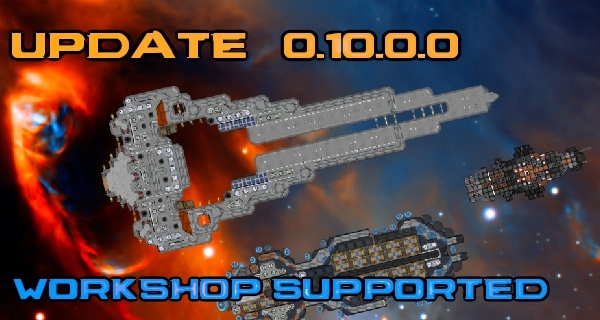
The game now supports Steam Workshop.
Workshop can be used to share the ships you made.
You can also download ships uploaded by other players through the workshop.
Welcome to join the Workshop beta test, upload your ships, and let other players download them :D
More related features (such as ARENA) will come in the future.
IMPORTAND,
Workshop is still in the Beta test,
If you want to join the test,
please enter the test code "starshipworkshop2019" to unlock the workshop beta branch.
UPDATE OVERVIEW:
- Support for basic workshop functions.
- Ship upload and sharing.
- Subscribe and download ships in game client.
- Load the subscribed ships.
- How to join the workshop beta.
- Other regular update.
UPDATED DETAILS:
WORKSHOP:
The workshop of "Starship Constructor" is currently used to share the ships made by players.
Upload your ships or download ships made by other players.
You can uploading, querying, subscribing, downloading, directly in the game client.
You can also subscribe from the workshop page.
UPLOAD SHIPS:
Upload your ship in game client.
Once the upload is complete, your ship will be posted to the workshop page.
Other players can subscribe to your ship or rate it.
To upload your ship, you need to enter the build page, click the "Upload" button in the lower right corner to open the upload page.
The upload and workshop buttons are located in the lower right corner of the build page:

After clicking the "UPLOAD" button, you will open the upload page and ready to upload your current ship:

You need to add the name and description of the ship (not null).
Once the basic information is complete, click "UPLOAD TO STEAM" to start uploading.
Uploading may last for tens of seconds, please don't switch to other pages during the time.
After the upload is complete, the item will not be displayed to the workshop page immediately. It may take 10-20 minutes for other players to see the item you uploaded.
Subscriptions and downloads in game client:
You can subscribe to and download items from the workshop in game client.
To subscribe to ships, click on the "WORKSHOP" button on build page.
Or click on workshop icon in game.
Workshop Icon/b]
By default, the workshop page will show the latest uploaded ships.
WORKSHOP Page:
Workshop page will display 10 spaceships per page.
By default, all ships are queried and sorted by published date.
You can also set the sorting method or other filters.
Click the Subscribe button in the lower right corner of each item to
subscribe or unsubscribe ships.
After you subscribe to an item, it will automatically start downloading in the background.
You can also subscribe through the STEAM client, the results are the same.
LOAD SUBSCRIBED SHIPS:
After subscribing to the ships, the download will start automatically.
Click the "LOAD" button on the build page (the same process as loading the local files) to open the load page.
Ship Loading Page:
The spaceship with this icon
JOIN WORKSHOP BETA:
The workshop content is not public.
But every player can join the test.
All you need to do is select the test branch in the Steam client.
How to join the test :
1.Open Steam client.
2.Select "LIBRARY".
3.Find Starship Constructor, Right click and select "Properties".

4.Find "BETAS" in the properties panel.

5.Enter beta access code : "starshipworkshop2019"
6.Start the game.
Welcome to join the test and upload your ships.
Share your ship to more players.
Thanks.
OTHERS:
Tried to fix the mouse centering problem (But because it didn't reproduce on my computer, I'm not sure if it has been resolved).
Workshop is a important function.
We can use the player ships to make other functions like "ARENA".
And increase gameplay , make more random content.
The workshop will be public after testing.
There might be bugs in the workshop at this stage.
Thank you for your understanding and support. If you haven't bought it yet, don't hesitate..
If you like it, welcome to recommend it to your friends...
Thanks :D