

GamePatchNote Digest
Monads News — August 19, 2021
Aggregated from Steam, cross-tracked with Battle.net coverage on GamePatchNote.
Hello, everyone!
Ahead of the release of <Monads II>, we have decided to apply some progress we've made to Part I. Please pay attention to the sequel if you enjoyed this!
The major changes are as follows.
Visual Expression
- Battle Ready Phase
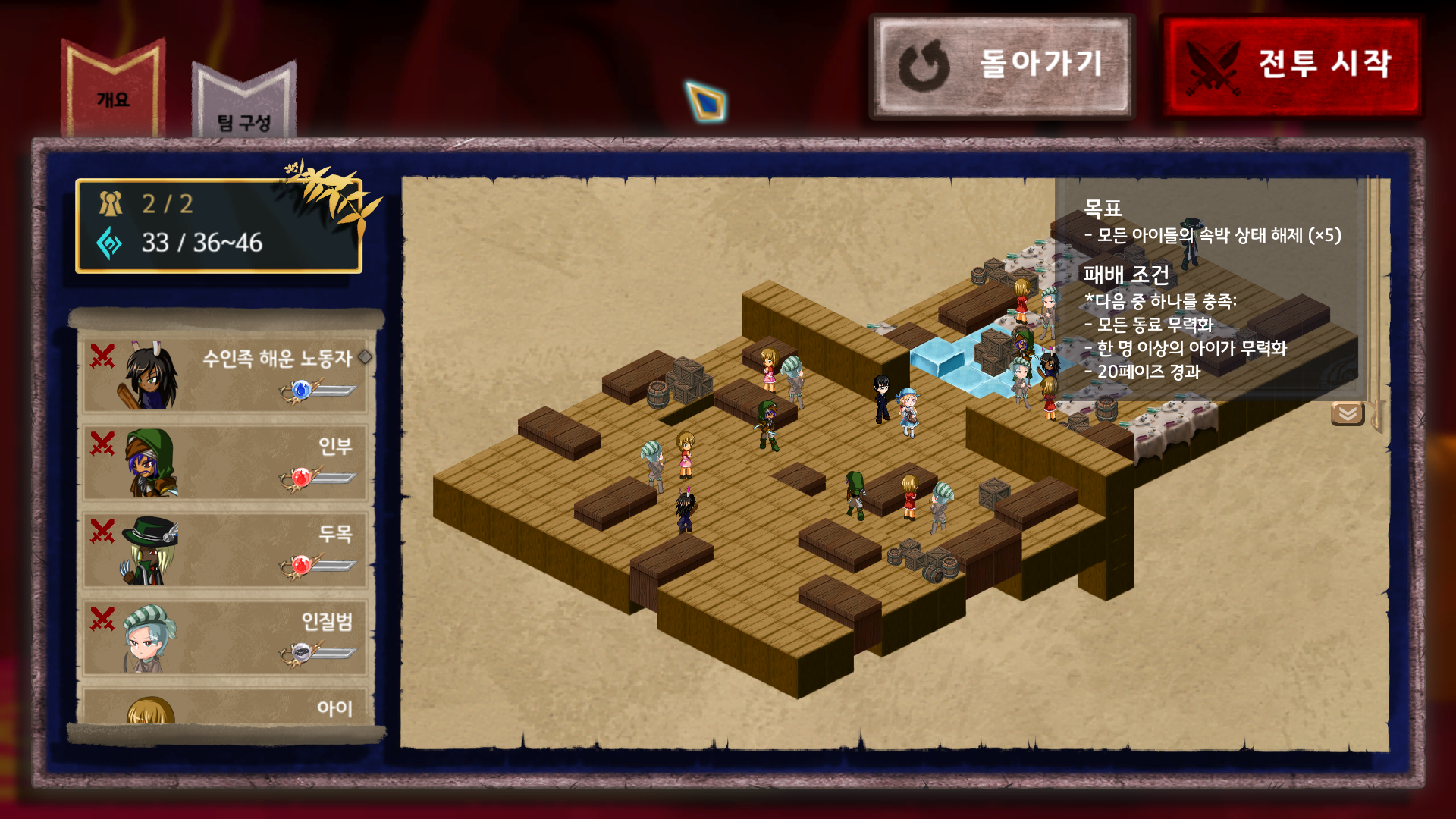
- Screen layout changed.
- Scroll position does not reset when going between 'Briefing' and 'Party' tabs.
- Bookmarks on unselected tabs look shorter.
- On the 'Briefing' tab, the upper left icon displays the side of each AI unit.
- The red color of the 'Start Battle' button will be released 'when the remaining score is less than the cost of most expensive skill'.
- Screen layout changed.
- Modified loading screen.

- The back translucent image of the protagonist and emblem were adjusted darker.
- The tip at the top of the screen is highlighted by the same rules as other explanatory text.
- The back translucent image of the protagonist and emblem were adjusted darker.
- Skill Explanation
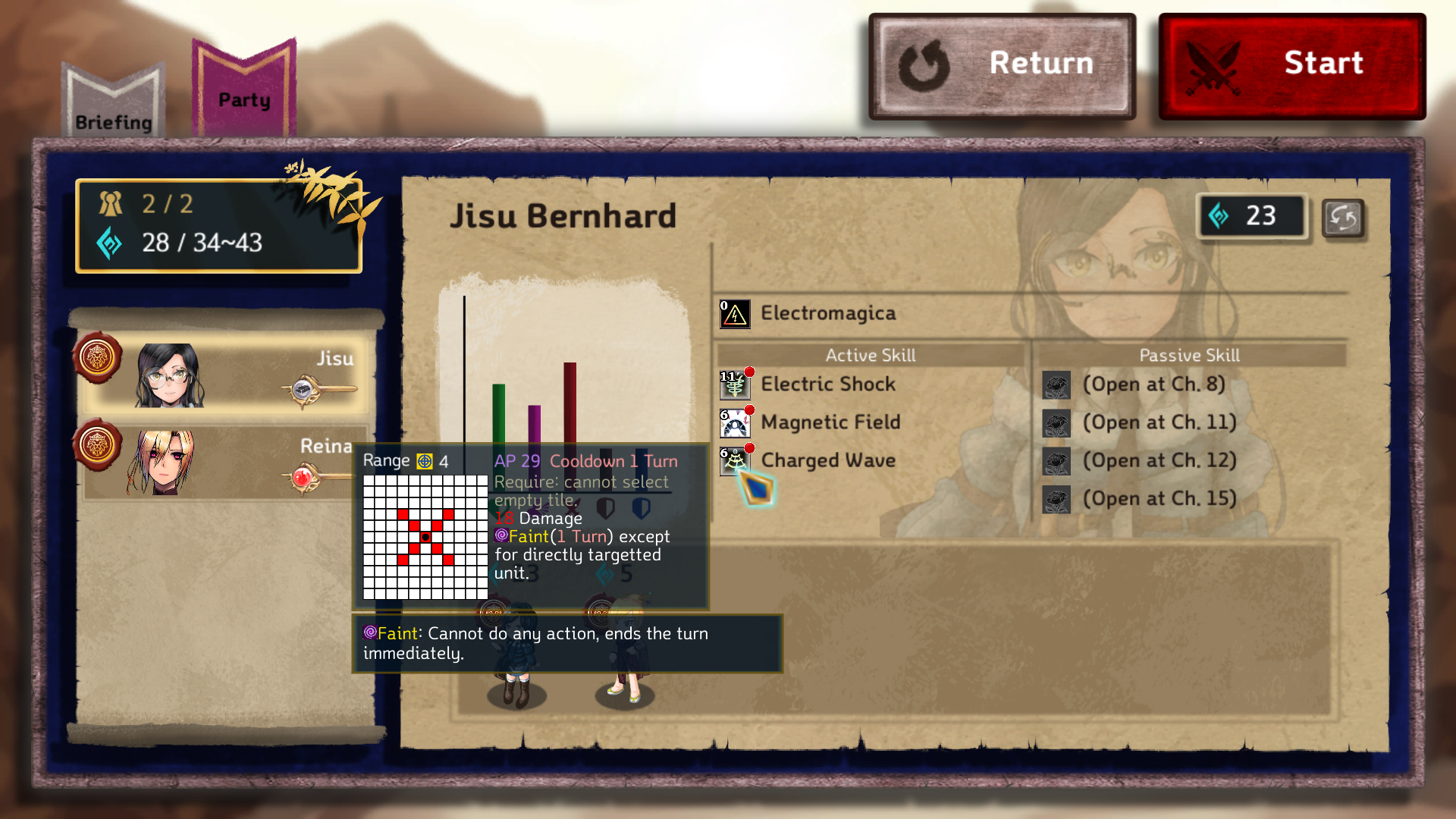
- A description of the keyword appears below, not above, the default text.
- The assigned color table has been adjusted to highlight important content in the text.
- A description of the keyword appears below, not above, the default text.
- The sprites of various terrain have been replaced.
- For natural objects, the visual size is determined randomly between 70% and 100%.
- 'Wall' units do not have circular shadows.
- For natural objects, the visual size is determined randomly between 70% and 100%.
- Tooltips for status effect applies the maximum width limit, and includes its icon.
- The area of 'Corruptive Circle' visually corresponds to the area where the actual effect is applied and has additional lasting visual effect.
- Display circular visual effects around units with Shield effects.
- Highlighted borders of tiles where additional units are to be created are displayed in different colors depending on the number of remaining phases.
- Keywords are highlighted in color in the description text of the participating character's will character.
- Several characters' illustration changes have been made or facial expressions have been added.
- Changed the position of the 'Confirm' button and the 'Initialize' button in the unit placement phase.
- The font size of the objectives panel has been reduced.
- The tile information panel also displays special effects in addition to reducing will.
Convenience
- Unit Placement Phase
- Right-click to cancel only the last unit you placed without initializing.
- In the absence of deployed units, you can return to the Battle Ready Phase instead of the reset button.
- Right-click to cancel only the last unit you placed without initializing.
- Battle Ready Phase
- Identifies win/lose/bonus conditions as same as in combat.
- Click on the participating character image below to display the character's information immediately.
- Identifies win/lose/bonus conditions as same as in combat.
- Pressing Menu > Restart allows you to choose continuing from Battle Ready or Unit Placement.
- When you return to Interlude after the challenge mode, the one you just played(not the last opened chapter based on the story) will be selected.
- In Chapter 5, the connected monster is highlighted while the mouse cursor is positioned on the crystsal.
- While the mouse cursor is placed on a tile, the units(e.g. giant trees) that cover the tile becomes translucent.
- You can adjust the speed of text output in dialogue mode.
- You can rotate the battlefield with Q/E key during the AI turn.
- Press the Shift key to display the formula for the resulting value during the skill description in text.
- Ask again if you go back to before the start of the turn by revert (you can disable this in configuration).
- When the mouse cursor is placed on the unit portrait in turn queue, the entire silhouette flashes.
- If Bianca exists in the game, player characters' movement path avoids traps if possible.
- The underside of the tile is dimmed to melt into the background, and express shadows by comparing the height with the adjacent tiles.
- During the battle, camera can move a little further to the outskirts.
Bug Fix
Solved the problems below.
- Battle Ready Phase
- Some stats of player character didn't show tooltip.
- Issue with slightly cut bottom of skill list
- Some stats of player character didn't show tooltip.
- As the crystal disappeared in Chapter 5, the problem of the escaping monster disappearing from its place(without moving)
- When the unit is removed, it remained blank in the sequence queue until all relevant productions were complete, including the visual effects of the attack.
- AI misidentified AP consumption when planning for the next turn.
- Units entering the attack range after waiting for a chain attack were not hit when it was invoked.
- When displaying images on the tile information panel, there was no synchronization of snow-covered sprite.
- Some scrollbars didn't seem to go all the way down.
Gameplay/Balance
- Damage/Healing Over Turns is now immediately extinguished (not at the end of the turn) after the last application.
- The amount of defenses/resistance changes from skill is fixed independently of the chapter number.
- Traps and Magic Circle can be installed on the same tile.
- Added tutorial battle, which can only be played once for each save slot, and two battles in chapter 1 are consolidated into one stage.
- Changed bonus score conditions for Chapter 3.
- Allies in Chapter 7 now start with activation.
- Less enemy units appear in Chapter 12, depending on the level of difficulty.
Others
- Reduced background music volume while sound effect of starting battle is playing.
- Some lines have been modified.
If you have another suggestions beside these changes, please let us know via discussions or email( [email protected] ).
We'll come back with later version.
Thank you.