

Magic Borderless
Patch notes · News · Live player count
About
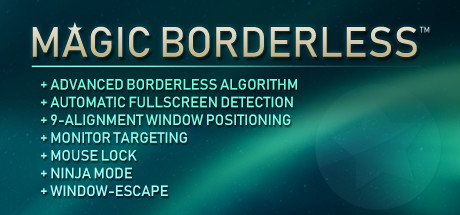
This must-have, ultimate gamer app is more than an automatic borderless tool. Magic Borderless auto detects any games & applies your preferences. It also includes mouse locks, multi-monitor & widescreen goodies, volume manager, multitasking assistance, and privacy features like Ninja Mode *wink wink*.
Media Gallery(8)
Detailed
Experience the responsive windowed gaming ON FULLSCREEN SIZE without the ugly borders!Magic Borderless is an application to help gamers play games on fullscreen windowed without the ugly borders. Windowed mode gaming lets gamers instantly switch to other windows in the same computer while they are dead (because they suck) or waiting on loading screens, without having to see Windows go ape nuts when alt-tabbing. Some games even crash when alt-tabbed, but Magic Borderless is here to prevent that as well!The app tries to help you be as lazy as possible and do the work for you as much as possible... for free*! *(Well, after you pay for the app.)Extra helpful features are also added to assist gamers when it comes to managing windows on their monitors, such as Ninja Mode where it allows you to hide and mute a window for... um, science! Automatic Game DetectionWhen you run your game on windowed or fullscreen mode, Magic Borderless can detect it without you ever have to manually add them every time. If this feature is enabled, it will ask you if you wish to apply the borderless magic. When the magic is applied for the first time, all you have to do is set your game to run on windowed mode once. Magic Borderless will take care of the rest automatically every time the game launches. You can also set to apply default configurations to all detected games without ever asking you!Improved Borderless AlgorithmThere are different ways to make a window borderless, but all of them often has trouble resizing window properly or suffer from graphical errors. Magic Borderless has improved code to combat these issues for you and will work on even more games! It has the highest compatibility list of all borderless software available!Customizable Additional MagicBesides making your favorite games borderless, you can also set the game to run on a specific window size or simply maximize to your monitor's resolution. If you wish to keep your Taskbar up, you can also toggle it to make sure the window does not hide the Taskbar.Some also prefer their borderless windowed mode to behave like real fullscreen apps (minimize the window on alt-tab). For those weirdos, you can set the Alt+Tab behavior to minimize the window.Ninja Mode: Instant Hide and MuteBy pressing [Alt] + [X], you can activate Ninja Mode on your currently active window. This will not only completely hide them from taskbar and among opened windows, it will also mute that particular window only!This feature is also available to Alt+Tab behaviors for any games you configured!Cursor LockSome noob developers forgot to add cursor lock to their games on windowed mode (or they believed it is how they should behave). If you don't like this behavior, no worries! Magic Borderless can lock your cursor to that window OR the monitor (for our beloved multi-monitor users).Muti-monitor AssistanceMagic Borderless can stretch a game window across all of your monitors so you can it big! The program also provides additional tools like mouse cursor centering and Window-Escape feature to assist you on multitasking!Volume ManagerInstead of going through a number of clicks to adjust the volume of your apps, Magic Borderless can help you adjust them reliably through its own UI. You can also change the background volume so when they are not being used their audio volume can be either reduced or muted completely!
Patch Notes & Announcements(17)
 MINOR
MINORSolution to disable Steamworks still coming
Hello, we hope you're all well. We would like to first explain why it is taking so long to deliver an option to disable Steamworks. Despite being an incredibly cheap software, the studio supported the
MINORMagic Borderless v1.00.5: Bug fixes
Ohayo! This is an update to fix the notorious high CPU usage bug introduced from our last major update. It turns out, it was simply the Magic scheduler not properly resting between loops when it neede
 MINOR
MINORMagic Borderless v1.00: Hidden Cursor, UWP app Support & much more!
Ohayo! How's our favorite group of gamers doing? We've been spending quite a bit of time to rewrite some of the existing code. Although we consider this to be a series of micro-optimizations, we simpl
MINORMagic Borderless v0.99.4.1 Update: Very Hot Fixes
Ayo, gamers! We hope you're grabbing some awesome games on this Summer Sale (and of course playing them)! This is probably one of the most boring updates you'll ever see, but it was very important tha
MINORMagic Borderless v0.99.4 Update: Improvements & Fixes!
Good day, everyone! We're here to improve the Magic further and fix some important bugs! If you have missed our huge recent major update (v0.99), be sure to check them out first: https://steamcommunit
MINORMagic Borderless v0.99.3 Update: MORE POWER!
Waow! We're back already! Yes, this minor update released a few days after our major update still adds new features to Magic Borderless. If you have missed our huge major update, be sure to check them
 MINOR
MINORMagic Borderless v0.99 Update: New upgrades, more cool options, & goodies!
For the hotfix: Update Notes for v0.99.1 at the bottom Alakazam! Heyo, everyone! Wait, what? A major update already?! Yes! And it's HUGE! We're bringing some significant upgrades to Magic Borderless w
HOTFIXMagic Borderless v0.98.5.1: Minor hotfix
Yes, hello! This is a very minor update to fix some UI issues on Windows with different scaling options. We realize this is a very tiny update, but hopefully this answers any potential question on wha
MINORMagic Borderless v0.98.5: More Volume Control update
How are you doing, everybody? Oh yes, we're back! We decided to combine a few minor updates together to deliver you... a bigger minor update via this announcement! From now on, we will be delivering m
MINORMagic Borderless v0.98 Update: More window management tools!
Grüezi, Magic gamers! After we added ways for you guys to customize some visuals from the last update, in this release we wanted to focus on providing various additional options that gamers find usefu
You Might Also Like
Popular titles trending on Steam right now.





