

Discord Bot Builder News — February 27, 2025
Aggregated from Steam, cross-tracked with Battle.net coverage on GamePatchNote.

Hey Builders!
This update brings new features related to user experience and user interface. Below are some of these features implemented, but there are more features that, as they are small details, are not worth highlighting, but check the changelog to find out more.
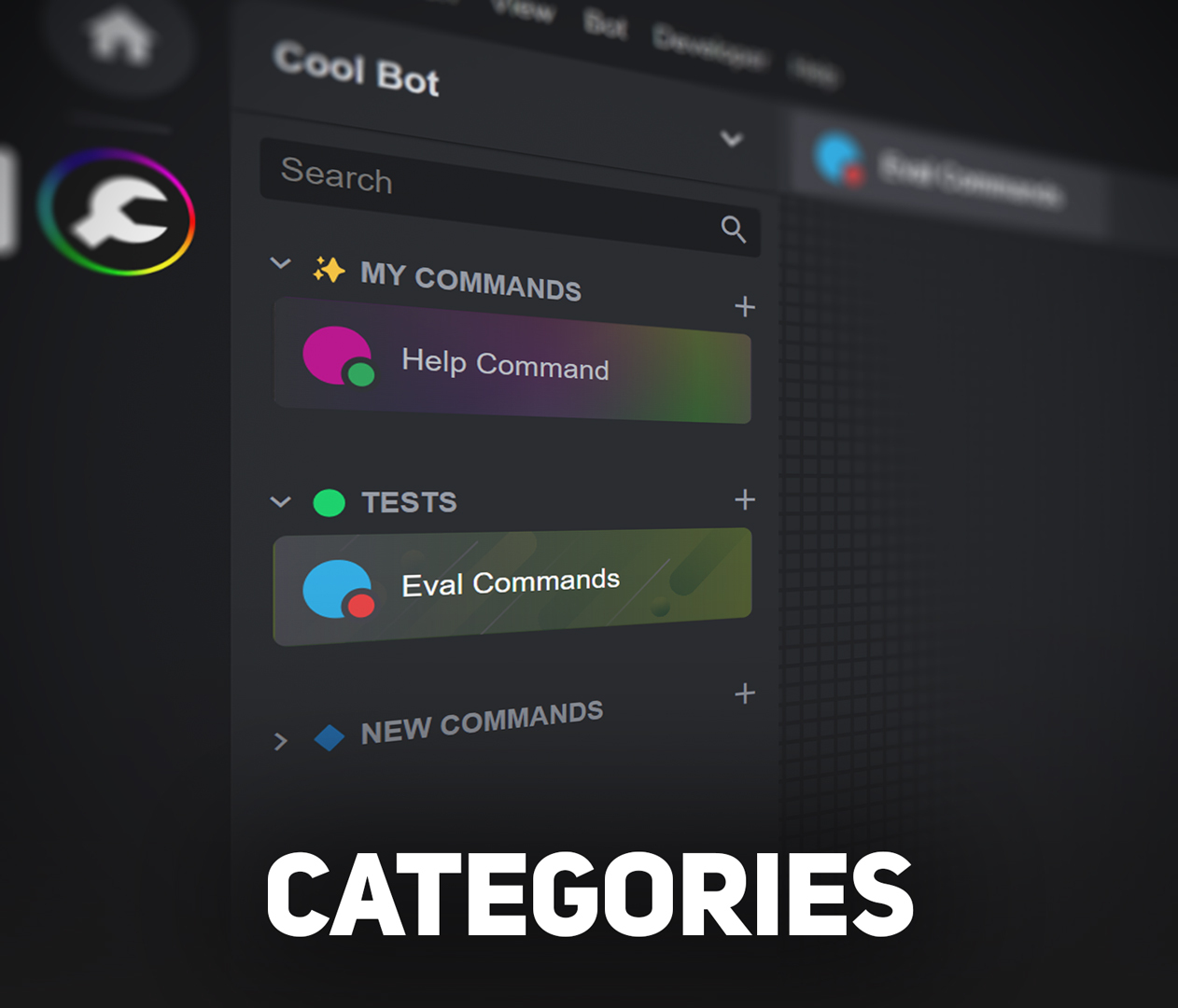
Categories
Highly requested feature to group your workspaces
The entire sidebar has been redesigned to support this new feature.
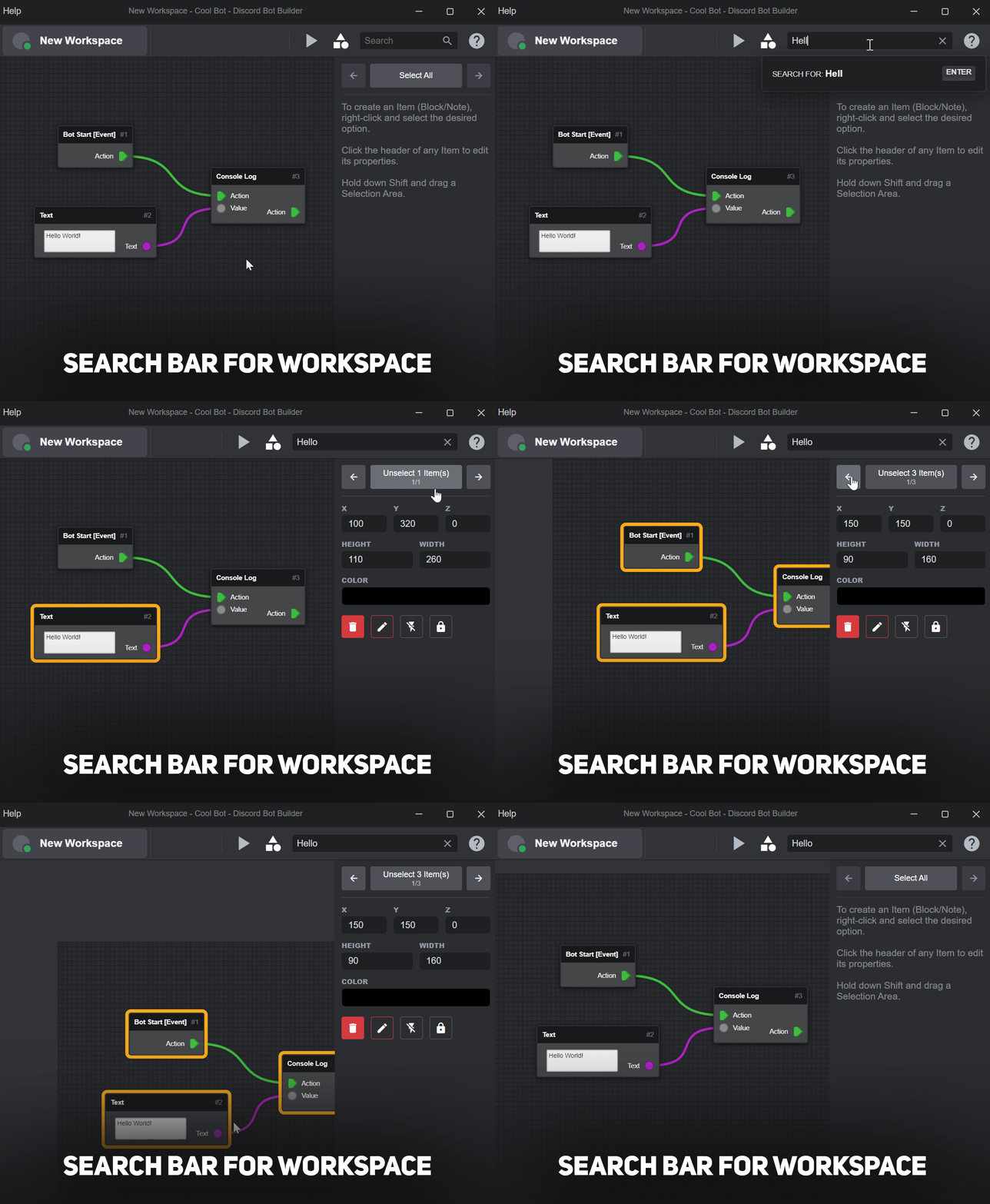
Search Bar for Workspace
Easier to stalk an item
Search for anything contained in any item in the current workspace.
A way to locate a selected item instantly has also been implemented.
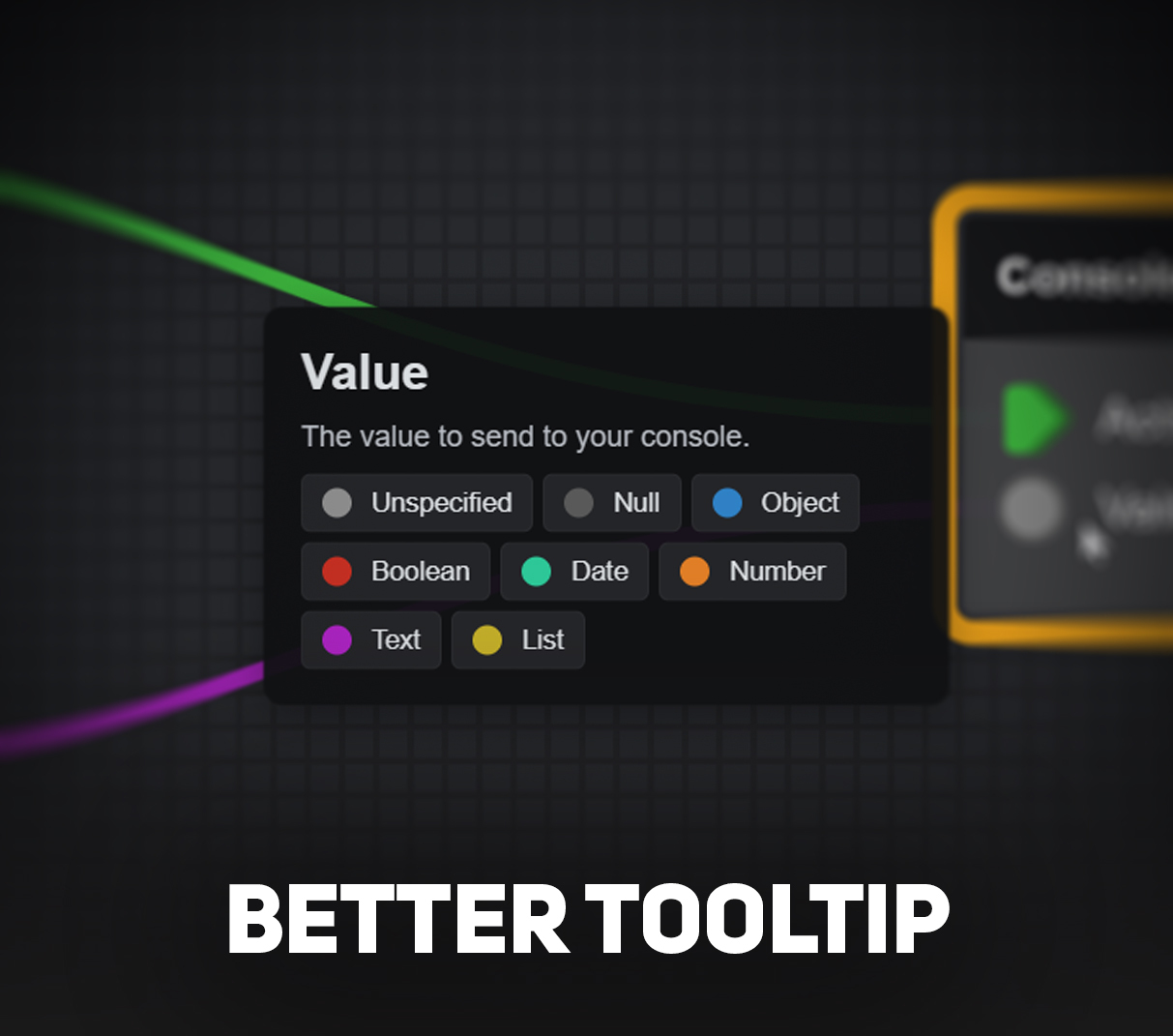
Better Tooltip
For Inputs and Outputs
When hovering over any input or output of a block, a clearer and more user-friendly tooltip will be displayed to explain the port's usage.
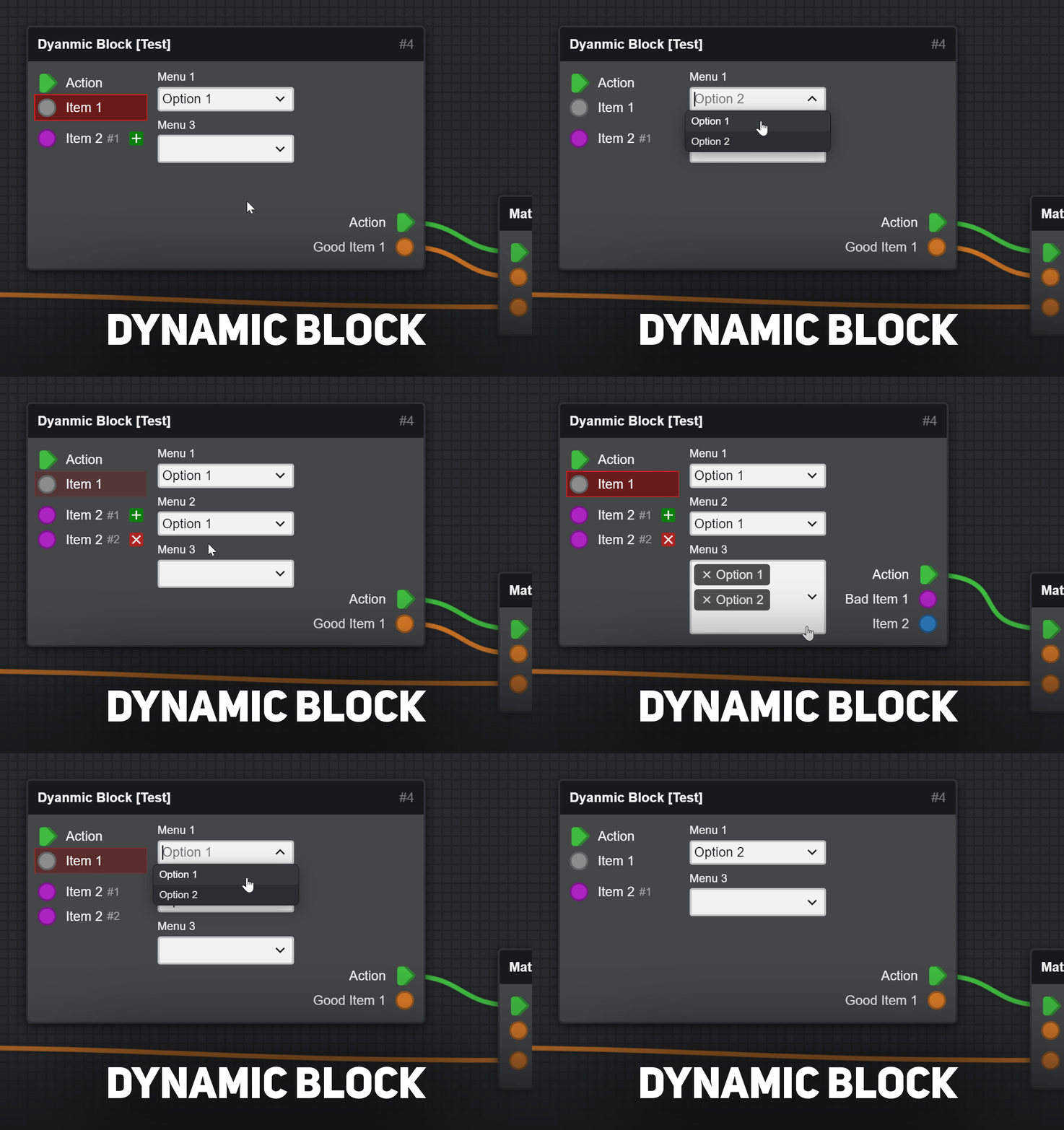
Dynamic Block
Opening up new possibilities for Block Developers
Block Developers can now program the blocks to perform dynamic actions with limitless and unimaginable possibilities. Be aware that such capabilities may impact performance if used excessively.
For Block Developers: check out dynamic_block_test.js to find out how to make a dynamic block.
Worth Mentioning
- Built-In Bot Terminal, so the users don't need to install Node.js on their computers. This feature can be reversed in the app settings to use an external terminal.
- Keybinds, it's a new settings page to allow you to set up custom keyboard shortcuts for various actions.
- Customizable Project Info, it's now possible to rename projects and change their icons by right-clicking on them.
- Lock/Unlock Items & Enable/Disable Blocks, you can block Blocks from working or from changing their properties (moving, resizing, etc...).
- Searchable Block Dropdowns, when opening a dropdown menu from a block, the user can type to search for the menu option now.
Changelog
- Redesigned Workspaces Sidebar
- Added Category to group workspaces
- Added "Hide Disabled Workspaces" option
- Workspace cards show their thumbnail as background
- Workspace card icon can be clicked to toggle it on or off
- Added Category to group workspaces
- Added Dynamic Block
- Improved Block Dropdowns ("SELECT" and "MULTISELECT")
- Added "aliases" property to Block
- Added "max" property to Block Multiport
- Added the ability to disable and lock workspace items
- The project can now be renamed and its icon changed too
- Added "Keybinds" settings page
- Added "External Bot Terminal" setting
- Removed "Maximize Block Size" setting
- Added "View" menu to top bar
- Added "Reload" menu option
- Improved tooltip for Block ports
- Added search bar to workspace
- Improved every search bar
- Made workspace item resizing respect "Snap Items to Grid" setting
- Note's title size no longer increases when zooming out
- Removed persistent "move" cursor icon from workspace editor
- Added Ukrainian language (incomplete)
- Improved CSS Selector, such as showing CSS Custom Properties and HTML Data Attributes
- Added "dbb://" custom protocol support for deep linking into DBB
MrGold - DBB Developer
DBB Discord Server
Unofficial DBB Website