

CopperCube 6 Game Engine
Patch notes · News · Live player count
About
CopperCube is a full-featured 3D game engine. No programming needed! Create 3D games and apps quickly. Includes terrain editor, low poly modelling tools, 3D models, precreated game AI, effects and more.
Media Gallery(9)
Detailed
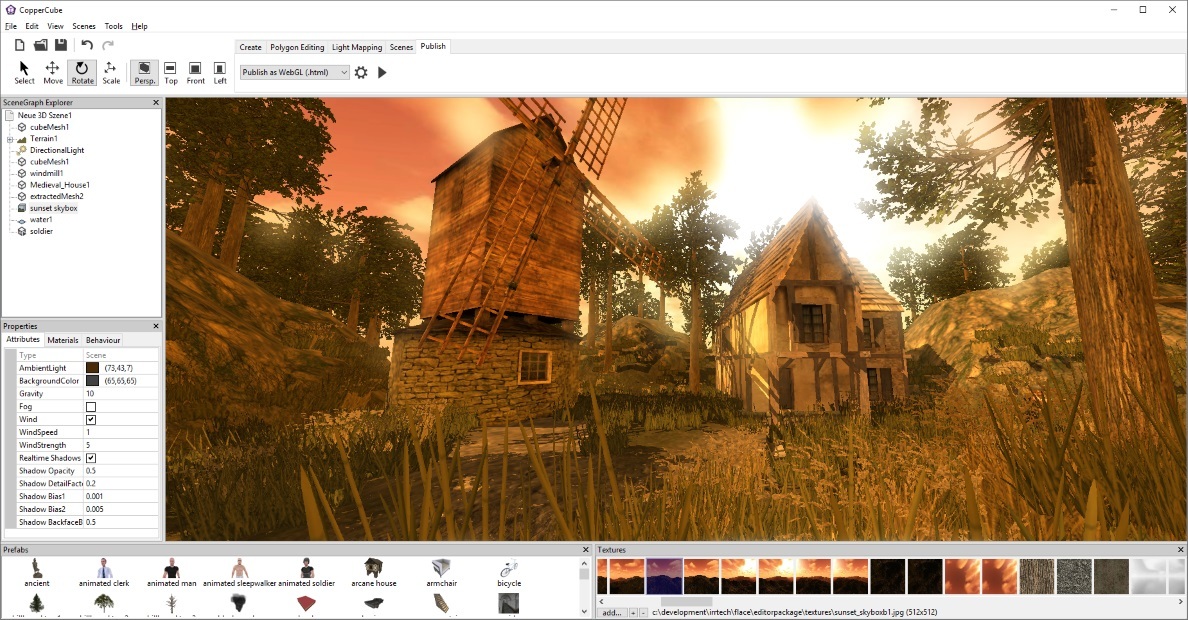
CopperCube is a full-featured 3D game engine. No programming needed! Create 3D games and apps quickly. Includes terrain editor, low poly modelling tools, 3D models, precreated game AI, effects and more. There are also plenty of features for advanced users, like JavaScript scripting and shader support.Create your own 3D worlds and 3D models, set camera controllers, materials, behaviors, click 'publish' and your game or app is ready. As Windows or Mac OS X apps, WebGL websites, or Android apps. You can do all this without programming. The engine is free but there is also a professional edition (DLC): It adds post effects like bloom and the option to customize the splash screen logo. By buying it, you also support the further development of the engine.High performance 3D engineCopperCube includes manually optimized 3D engines for all supported targets, running with OpenGL, Direct3D, and WebGL. Simple-Click game systemNo programming needed: Wether you want to create a simple 3D game, a complex, epic adventure, or a first person shooter: Select from lots of created behaviors and adjust them accordingly.Terrain EditorCreate your own 3D worlds directly in the editor, textures can be painted quickly with automatic texture blending into the terrain. There are also tools for placing grass and bushes, and creating trees.Physics EngineNext to the the built-in blazingly fast collision and repsonse system, there is also a full physics engine integrated when publishing as Windows .exe and Mac OS X .app.Character AnimationYou can model and animate characters using any 3D software, export it into one of the supported file formats and then import them into Coppercube. Also, it is possible to download existing 3D models from the web and use them in the editor.Low poly editing toolsYou can edit your own 3D models directly in CopperCube: It includes a simple 3D modelling tool for creating levels, models and items.Cross Platform Script systemFor advanced users, there is a Javascript API working on all publishing targets. For WebGL, there is even a second big JavaScript library with direct access available, which is even open source. High quality Light MapperThe editor includes a high quality light mapping tool. Place your lights, click on 'calculate' and your 3D levels will look great. You can mix it with the realtime lighting and shadows system as well.Native WebGL supportUnlike in other 3D engines, CopperCube's WebGL code is handwritten and highly optimized: Your 3D game will download quickly and run fast, even if run directly on a website. CopperCube's WebGL client is just about incredible 200 KB in size!Many publishing targets Create 3D games for these targets, with one single click: Windows (.exe) apps Mac OS X (.app) apps WebGL websites (.html) Android (.apk) apps
Patch Notes & Announcements(10)
 MINOR
MINORCopperCube 6.7.4
Added Korean translation - thanks to Parkhyunjun! The Android target is now deprecated. It might still work but since Android will restrict sideloading of unverified APKs, the android target will be d
MINORUpdate Notes for CopperCube 6.7.2
- Fixed a problem causing the CTRL+C shortcut not to work in some localizations - Fixed a problem causing the D3D redistributable not to install sometimes on 64bit systems - C++ source code now includ
MINORCopperCube 6.7
This update includes new features and minor bug fixes. Changes: DPI aware windows games The windows .exe game app now is DPI aware: On HDPI screens, the game app now looks more clear, and its window s
 MINOR
MINORCopperCube 6.6 released
Hi, CopperCube 6.6 is available now, including some new features and minor improvements everywhere. It includes: Dark Mode support CopperCube now has an (experimental) dark mode, which can be enabled
 MINOR
MINORCopperCube 6.5
Version 6.5 of Coppercube 6 is now available, with HighDPI support, support for large scripts, new scripting functions and more. Details here: HighDPI support CopperCube now works nicely on HighDPI di
 MINOR
MINORCopperCube 6.4 released
This update moves CopperCube to 64 bit, includes several smaller updates and fixes, and removes some obsolete features: 64 bit editor The editor is now a 64 bit app. 32 bit is no longer supported. Cop
 MINOR
MINORCopperCube Game Engine Roadmap
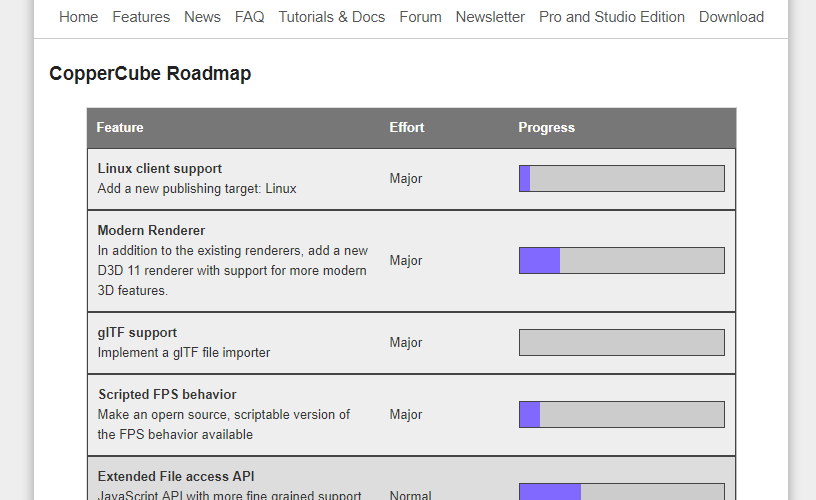
There is now a roadmap available for CopperCube Game Engine: https://steamcdn-a.akamaihd.net/steamcommunity/public/images/clans/32720009/f0a3777de12c5fd329278e97bbd75f3087df383d.png It is basically a
 MINOR
MINORCopperCube Game Engine 6.0.2 released
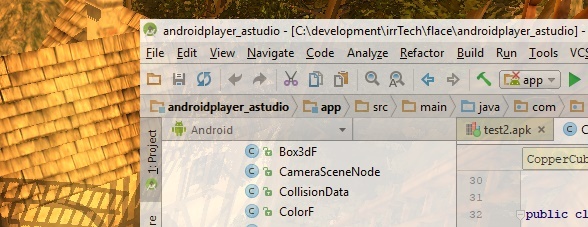
CopperCube Game Engine 6.0.2 is available now. https://steamcdn-a.akamaihd.net/steamcommunity/public/images/clans/32720009/e3230487bc5398d88925ae6e4c1850989e46e368.jpg This update mainly improves the
 MINOR
MINORCopperCube Game Engine 6.0.1 released!
CopperCube Game Engine 6.0.1 is now available. https://steamcdn-a.akamaihd.net/steamcommunity/public/images/clans/32720009/9ab94d6117ff8d8d12ae421cd3816b207e4b27a6.jpg This update includes some improv
 MINOR
MINORCopperCube 6 released!
CopperCube 6 is now available on Steam. For upgrading from Pro version 5, see below. Here are the detailed changes in version 6: CopperCube is now free Coppercube is now free. No more limited amount o
You Might Also Like
Popular titles trending on Steam right now.





