

(Beta) Update 1.31.1 - Profitability Gradient
Pixel Shopkeeper Patch Notes — June 28, 2018
Aggregated from Steam, cross-tracked with Battle.net coverage on GamePatchNote.
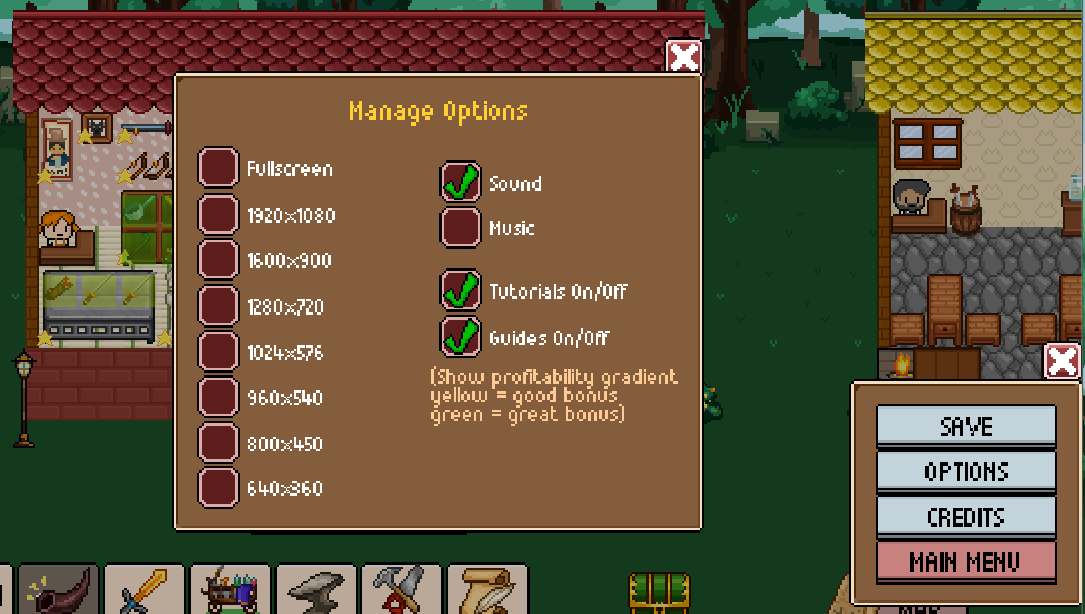
The x86_64 branch has a new feature, the profitability gradient, once requested in the forums. To activate it, click the gear on the bottom right, go to options and then check the "Guides On/Off". If it's on, a new "Refresh Guides" button will show up on the lower left, so that you can update the guides if you make changes to your shop

A yellowish gradient should show up on your shop if your discount is pretty high (maybe around 150% of its original price) - if it's green it means it's REALLY high, like over 250% of its base price.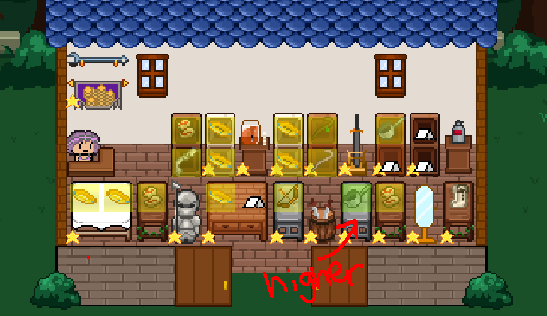
To turn it off, swtich the Guides Off. It will also by default go away during Sell Phase. The feature will be on the beta branch for a few days for testing and will be rolled out to main afterwards. Feel free to try it out, and report any issues you might encounter. Save files shouldn't be affected, but you can make a copy of your SaveData in case.
Missed Mini-things
Some stuff that got added that weren't announced (info for older players - for newer players, it won't be very interesting since it was part of the game already, lol)
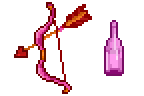
A few new hairstyles (available from the start) and some new craftable items that should be available after the Credits/Chapter 3.
Other Issues
Incidentally, I've seen a few people playing the game and the text is hard to read/resolution is blurry. In the same options tab, try setting a non-fullscreen resolution and set it back to fullscreen. That should fix the blurriness.
If you also get the "Error Initializing" bug at start up, or any other crash issues let me know and I may need an output log and/or your SaveData folder (or Save File & folder number) to fix the issue quickly. Thanks so much!