

Desktop Girlfriend
Patch notes · News · Live player count
About
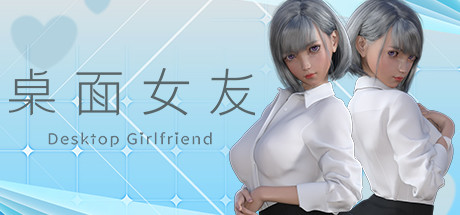
Desktop Girlfriend is a desktop interactive girlfriend game that allows users to interact with their virtual girlfriend in various ways, such as interactive games, customizing her hairstyle, hair color, and more.
Media Gallery(8)
Detailed
Desktop Girlfriend is a desktop interactive girlfriend game that allows users to interact with their virtual girlfriend in various ways, such as interactive games, customizing her hairstyle, hair color, and more. Desktop Girlfriend is a faithful girlfriend who loves the user, she will always be with the user, so that the user does not feel alone. In addition, the game plans to support steam workshop, which allows users to make and upload their own kind of girlfriend and all kinds of animations, making the game even richer!Features.-Custom hair and hair color-Customize nail color-Custom scene lighting colors--6 different endings of the plot play-2 mini-games-Characters and clothes with physics effects-Realistic eye system【Steam Workshop】[Mod Teaching]Open the steam client, enter the game library, right-click the game icon -> Manage -> browse local files. Open the game installation directory.As shown in the picture above, all the mod's teaching content and tools are contained in this folder, please read it carefully.【What should I do if I can't play the game? ]Can not run the game normally, has been stuck in the loading interface, the character background becomes black and can not see the desktop solutionWin7Click the system icon at the bottom left corner of the desktop - Control Panel - System and Security - System - Advanced System Settings - Advanced - Performance - Settings, check [Aero] and [Clear Glass], then click [Adjust to Best Appearance], after that click [OK]Win10Open [DVIDIA Control Panel] - [Manage 3D Settings], find [Multi-Frame Sampling AA (MFAA)] and [Smooth Processing - FXAA] and change these two options to [Off]If the above method still does not solve the problem, please try the following general method1. Restart the computer2. Desktop right mouse button - personalization - color - turn on the transparency effect3. Go to the official website of the graphics card to download the latest graphics card driver, the installation process select "custom installation" > check the "clean install" , you can not use the default override upgrade installation
Patch Notes & Announcements(22)
 MINOR
MINORTrading Cards Now Available!
Trading Cards Now Available!
MINORThe new version is now available
The new version is now available -Fixed some bugs. -Optimized multi-screen resolution switching, now it can automatically match the resolution of the game according to the resolution of the user's scr
MINORThe new version is now available
The new version is now available -Fixed some bugs. -Added multi-monitor support, if you use multiple monitors, you can set which monitor Desktop Girlfriend will be displayed on inside the system optio
MINORThe new version is now available
-Fixed some bugs. -Optimized the lighting, if the character of Steam workshop looks dark, you can adjust the light intensity, now the light intensity will be adjusted to get better and softer lighting
MINORThe new version is now available
The new version is now available -Fixed some bugs. -Moved the slider bar for adjusting chest from the "System" option to the "Appearance" option.
MINORThe new version is now available
The new version is now available -Fixed some bugs. -Added some new content -Optimize the new feature, you can use the slider bar under the system item to shrink or enlarge the character's chest.
MINORThe new version is now available
The new version is now available -Fixed some bugs. -Added a new feature to adjust the size of the character's chest using the slider bar under the system item.
MINORThe new version is now available
The new version is now available -Fixed some bugs. -Added light intensity slider, if you think the character is too dark, you can use the light intensity slider to adjust it.
MINORThe new version is now available
The new version is now available -Fixed some bugs. -Optimized user experience by changing the harmful props in the collect stars mini-game to bombs.
MINORThe new version is now available
The new version is now available -Fixed some bugs. -Added features -Added performance mode option in the system menu, you can choose different screen levels according to your computer performance to i
You Might Also Like
Popular titles trending on Steam right now.





